What is involved
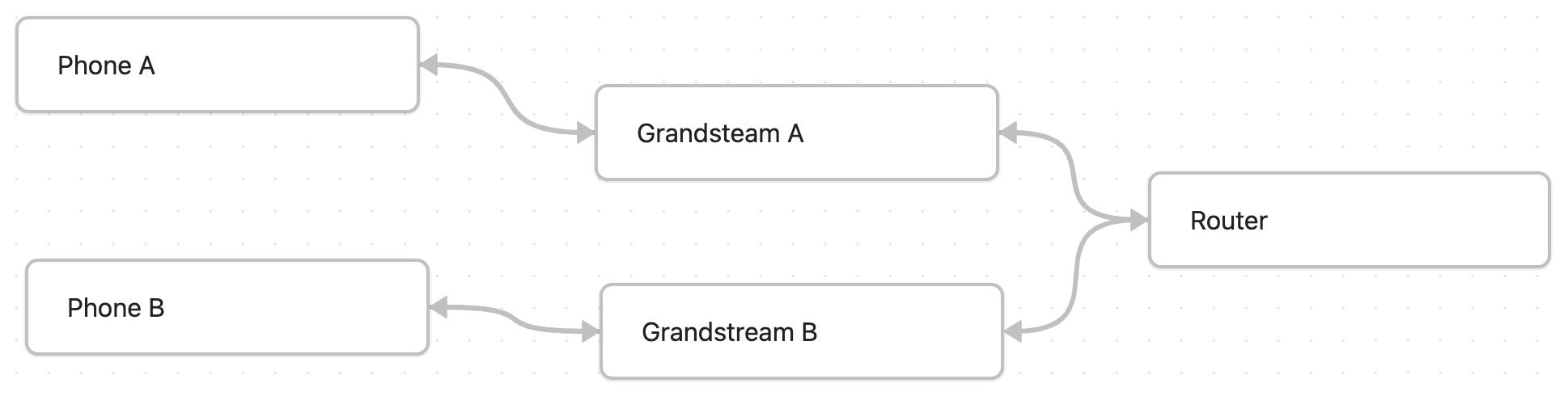
Our resources involved in the set up are:
-
2 Grandstream GT802 for converting analog to digital to analog -
2 Touch Tone Dial Phone for microphone and speaker, plus hook with a phone jack -
Router provides ip address and networking -
Ethernet Networking to Route for connecting the ip network
Set Up
Logging Into the Grandstream
To edit the Grandstreams config file got to its ip address (I just do a basic ip address scan with angry ip scanner, then set it static in the router)
Setting up off hook auto dial, ip address
To set up the phone system to do an off hook auto dial go to FXS Port –> Off Hook Auto Dial Fill in
*47*192*168*86*134
Where *47 means call ip
and *192*168*86*134 is the ip address of 192.168.86.134
if you must call a port you can add an extra *{port} such as
*47*192*168*86*136*5062
which calls the fxs port 2 on the other grandstreams ip.
Now add a delay to the off hook auto dial in the Offhook Auto-Dial Delay
so that when you pick up a phone call it doesnt call the other phone and busy the line. I do 0 seconds on one and 1 second on the other.
From there you have a simple phone system that calls another phone off hook. It works for rotary, touch tone.
Things to note
- Noise in the line often comes from a noisy ground, you can isolate the power supply this helps make the line clearer.
- The call hangs, this is often if you don’t set a delay or or or the ip address changes. You should set a static ip address and or a delay on the off hook auto dial.
- The ipaddress is the same address as the phones, if using a multiport grandstream the port number on the ip address is correlated to the port on the phone.
- The web config is on port 80, so you can just look up the ip address in a web browser to get the webpage config